

Instagram never stops surprising users with new functionalities. When creating a post on In Instagram , the Add reminder option has recently been available .
Have you noticed this news on Instagram?– and have you started using it? In the following text, you will find out what it is all about.
What is Instagram Reminders?
It’s a new option, available when creating posts. When you add a reminder within a post, followers can choose to receive a notification about an event or promotion you highlighted in the post.
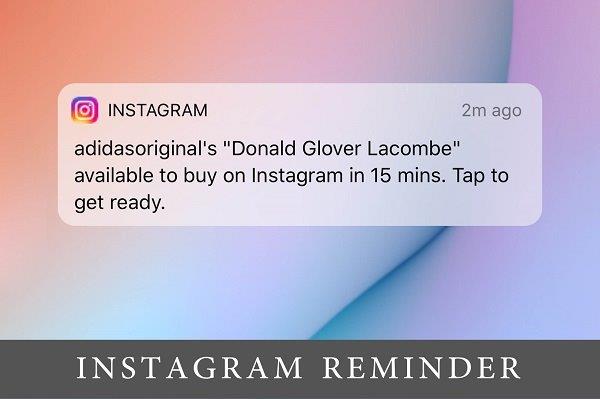
Shortly before the scheduled time, Instagram automatically sends a series of notifications to users who have turned on reminders. Notifications are received 24 hours in advance, 15 minutes before the event and at the start time.
As can be seen in the visual above, the notification states the name of the event and the name of the account that set the event. Clicking on the notification takes you directly to that post.
Who can use Instagram Reminders?
The option is only available for professional (business) accounts on Instagram. When it became available, you could have noticed the notification found in the visual below.

What types of posts does Instagram Reminder allow?
The option is only available for feed posts including photo and video posts, as well as carousel (multiple photo) posts.
Instagram Reminder is only available within the mobile application. Tools like Creator Studio and Meta Business Suite do not yet have the ability to use this option.
How to create an Instagram Reminder post?
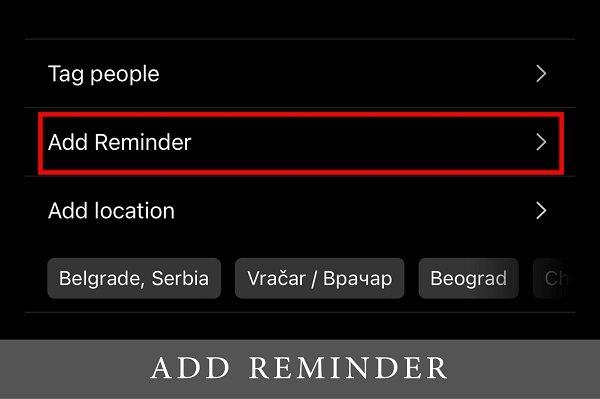
When creating a post and after selecting a photo, video or carousel , the Add reminder option appears . Add a clear name to the event or promotion, so followers know immediately what it’s about when they receive a notification.
After that, the time of the event is chosen. There is also an option to add an event end time. Followers will not receive a notification when the event ends, but the option is certainly useful, to know how long the event or promotion lasts.
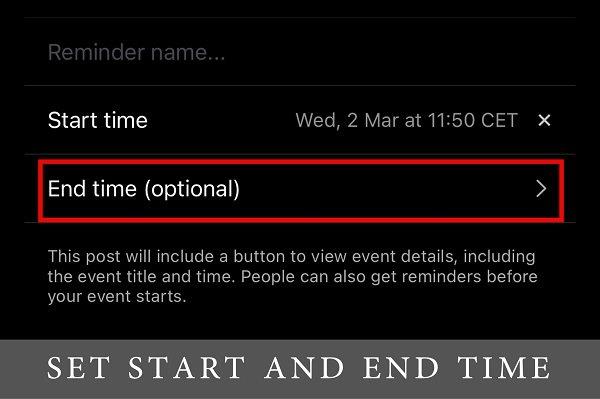
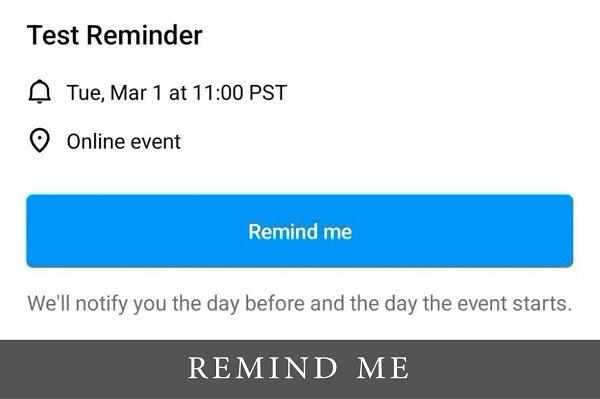
Important information is that Instagram automatically sets the reminder according to the follower’s time zone, so you don’t have to worry about it. Everyone will get a notification when they need it. After all the settings, a notification icon will appear in the left corner of the post.
Followers can click on the icon to view the details of the event, and to get a notification, they need to click on Remind me.
If you forgot something important in the name of the notification or you want to change the time, everything can be changed later, without any problems.
In one of the following articles, we will write about how Instagram reminder can be used in marketing and business promotion on Instagram .
For more news and interesting stories from digital marketing, visit our blog page or follow our Instagram profile.
Made by Mladen Radosavljević – Senior Account Manager @Digitizer
Pročitaj:


