

Are you looking for a simple solution to convert MOV to MP4 format?
You are in the right place.
Nowadays there are a lot of video formats and if you are not involved in video production, you must have come across a lot of extensions such as .MP4, .MOV, .AVI and similar.
The easiest way to convert MOV to MP4
If you are looking for a quick way and a simple solution for converting a .MOV file to .MP4, you will find everything you are interested in in the rest of the blog.
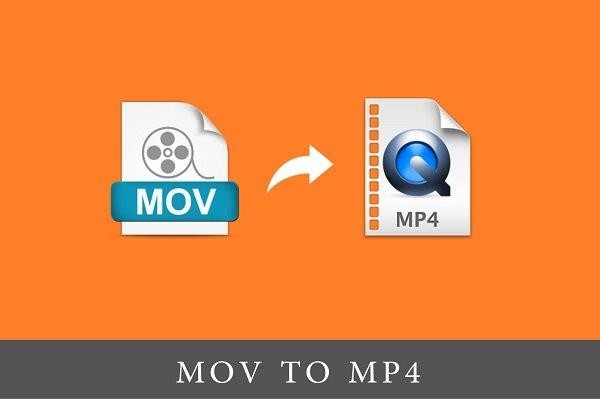
Let’s start with a brief look at what these files represent.
MOV file
A file with the extension MOV is an Apple QuickTime movie file that can save audio, video and text in the same file, and Apple devices most often contain MOV files because that’s the format in which those devices record video.
MOV files cannot be opened by all programs and this is where the problem arises where many people wonder why certain video material cannot be played. MOV files can be played by Apple programs, VLC, Windows Media Player, Elmedia Player.
MP4 file
MP4 file stands for MPEG-4 video file. It is an international standard for audiovisual encoding and that file can be played by most programs.
Some video editing programs do not support the MOV video format and if you wanted to use that video or just a certain clip, you will have to convert the file to MP4.
Online conversion of video material
In today’s age of the Internet, searching for various information on it and whatever you want, it is enough just to use the Google search engine properly. Na internetu postoji veliki broj sajtova na kojima možete besplatno i veoma lako konvertovati video materijal. U nastavku se nalazi nekoliko njih:
On most of these sites there are certain file size limits, so for example. you cannot convert video larger than 100mb for free, in that case you would have to subscribe. Many are disappointed here and ask how to solve the conversion problem in that case.
However, the conversion can be done on the computer itself, with just a few steps. Below you will find out how.
Convert MOV to MP4 on PC
You have received a MOV video file that occupies e.g. over 3gb, with about 2h of material and you want to convert it to MP4 as soon as possible. All you need is VLC Media Player which is completely free and you can download it here .

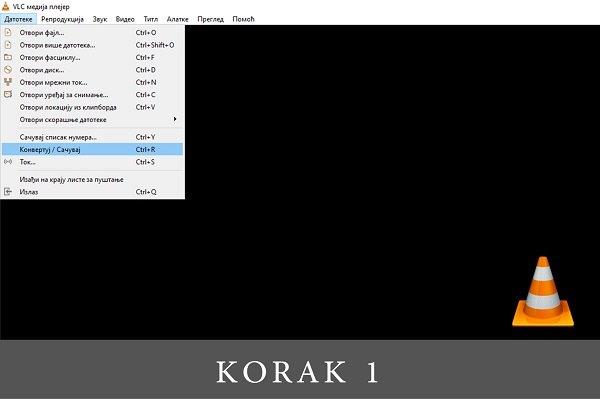
After you have downloaded, installed and launched this program, you need to select Files in the menu, and then “Convert/Save”, as you can see in the photo below.
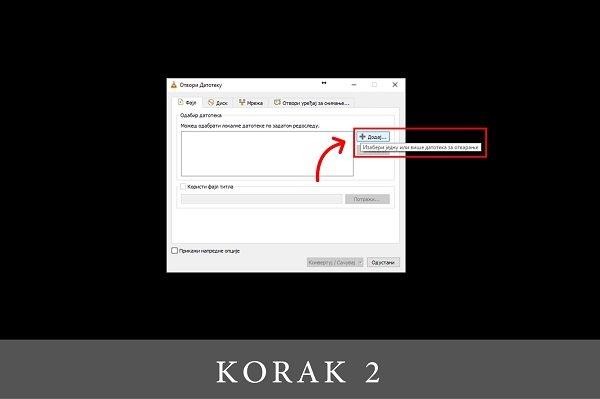
A new window will open and you need to select the MOV file you want to convert.
When you have selected the file you want to convert, select “Convert/Save” in the lower part of the window.
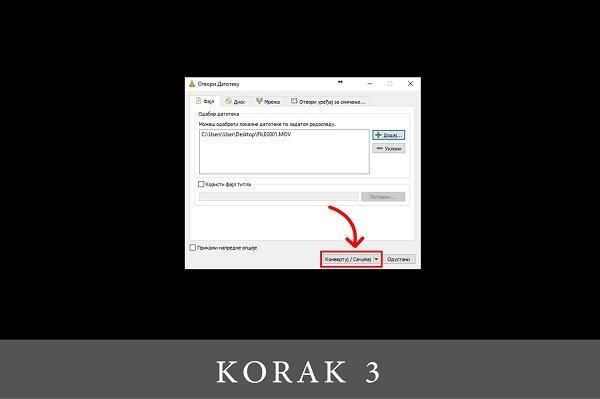
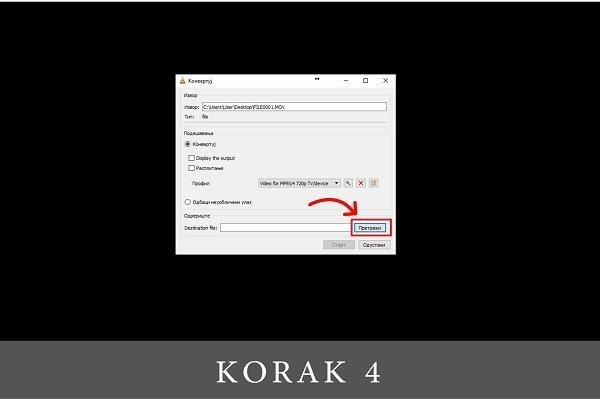
Clicking on “Convert/Save” changes the appearance of the window and now you can choose the destination and the name of the new file. Clicking on search opens a new window.
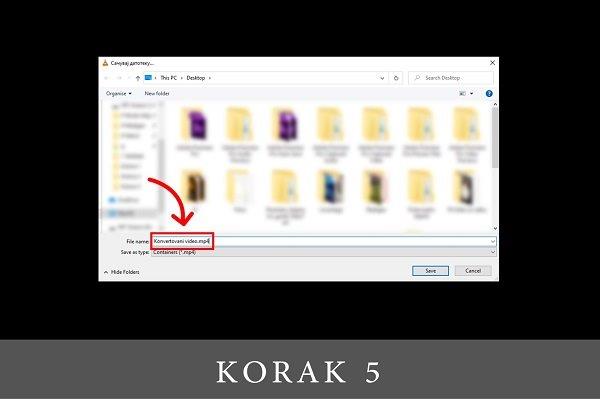
When a new window opens, enter the name of the new file and be sure to end it with the extension .MP4 and go to ” Save “.
All that remains is to start the conversion by clicking ” Start “.

The conversion will take some time, depending on the size of the file being converted. The video will be saved in MP4 format, where you specified.
As we mentioned, if you find yourself facing a challenge, you can find a large number of solutions on Google . Among other things, this blog is in support of that and we hope that it will be useful to everyone who faces this kind of challenge.
Given that video is a powerful advertising tool , as we have already written about in this blog , sometimes it only takes a little time to come up with a solution and use video for the desired goal.
You can get regular information about this and similar topics through our News & Stories section .

Made by Mladen Radosavljević – Senior Account Manager @Digitizer
Pročitaj:


